00
Sri AI

Dedicated Application for RoRo Shipping and Vehicle Logistics

Wallenius Wilhelmsen Logistics (WWL) is a global leader in RoRo (Roll-on/Roll-off) shipping and logistics, managing the transport of vehicles and heavy machinery worldwide. Efficient fleet management is critical for reducing operational costs, improving vessel utilization, and ensuring timely deliveries.

Live link

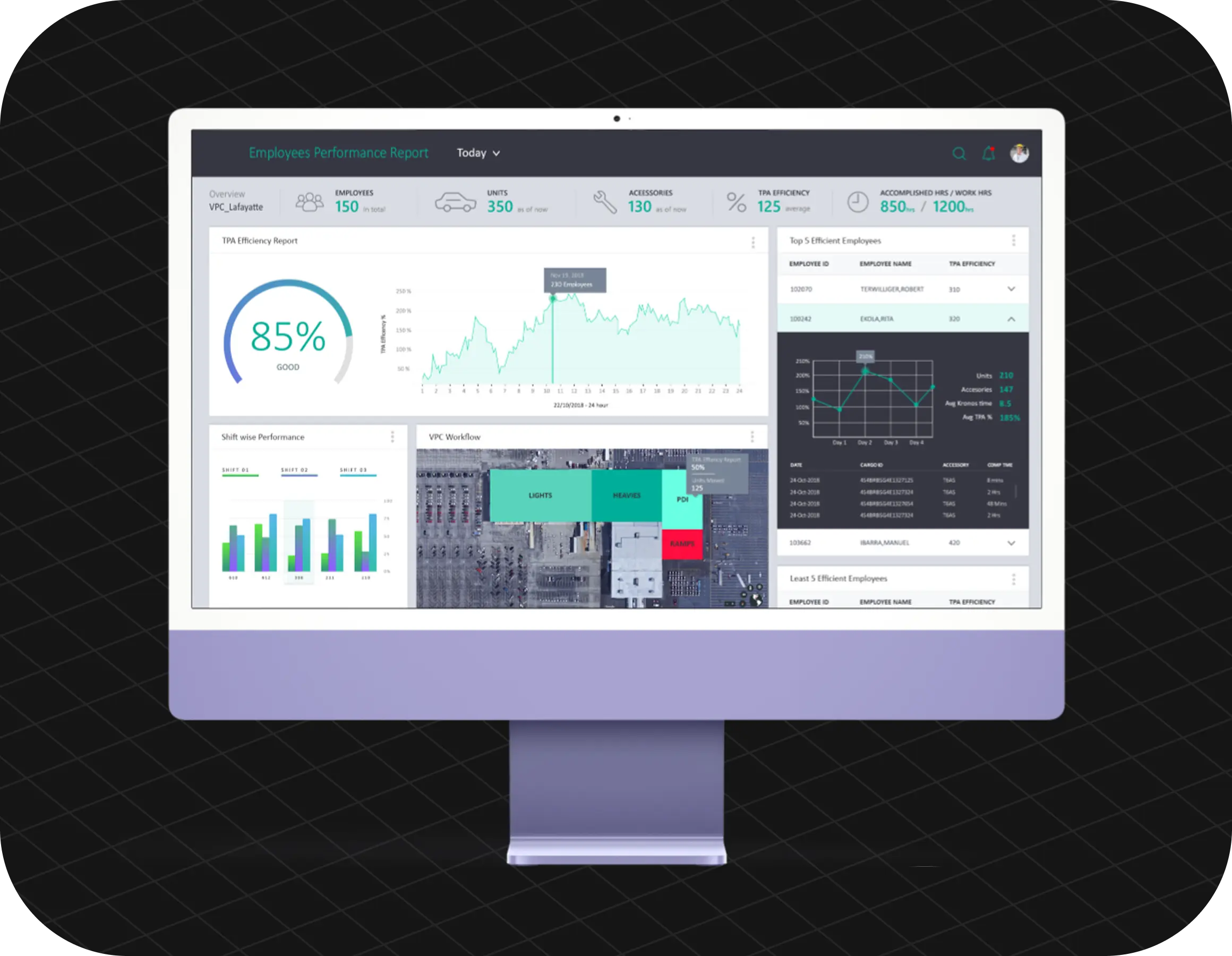
WWL Dashboard Overview

Context

Imagine standing on an open ocean dock at two in the morning. It’s freezing, the rain is coming down sideways, and giant floodlights are bouncing harsh, blinding glare off rows of wet vehicles. Your job is to track millions of dollars of incoming automotive fleet inventory moving off massive cargo ships.

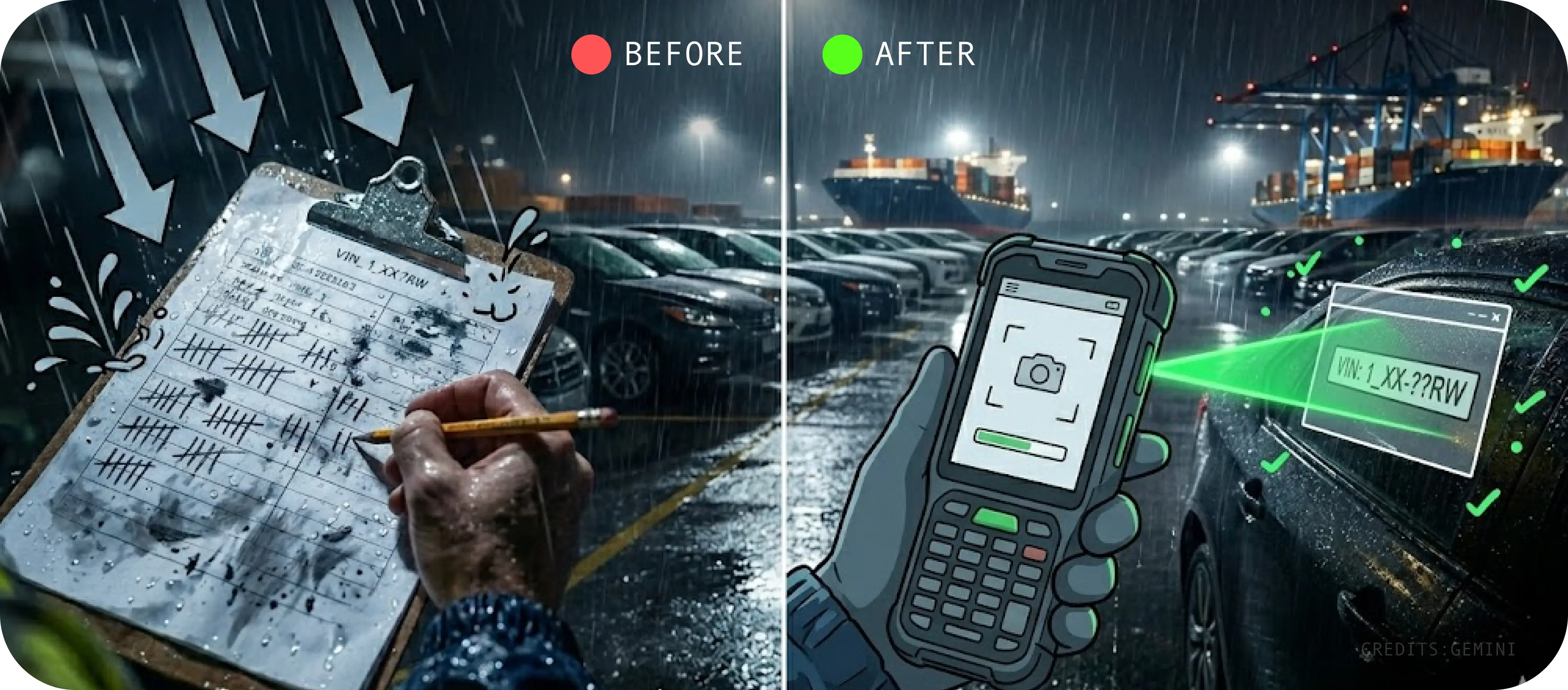
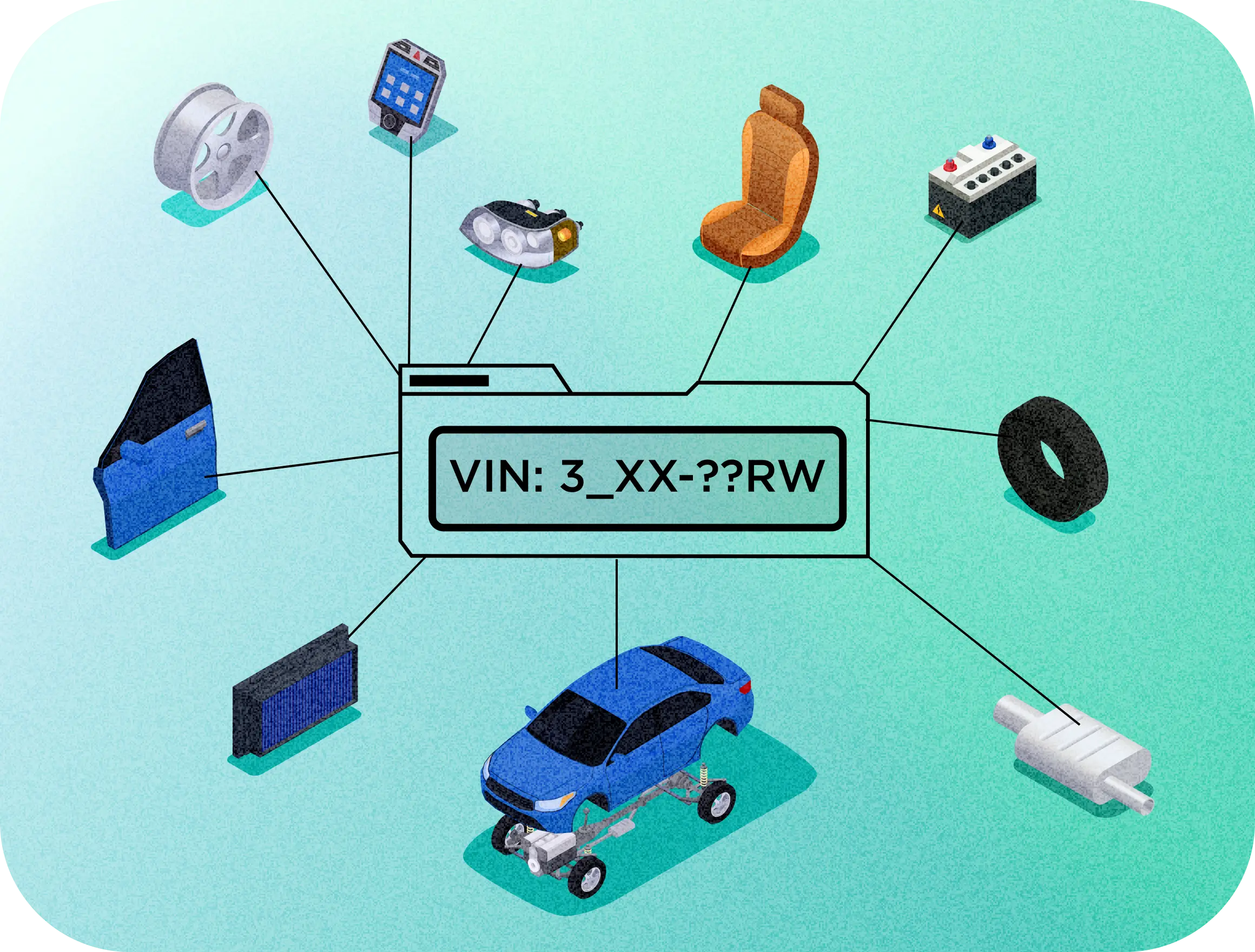
Before this app existed, operators had to handle this entirely by hand. They walked the docks carrying physical metal clipboards, pens, and paper tracking sheets. To log a car, they had to wipe the rain off the windshield, squint through a weak pocket flashlight, read a tiny, complex 17-digit printed Vehicle Identification Number ($VIN$), and manually write it down on a soaking wet piece of paper.

Why their old way of working Was Breaking Down:

  • Weather vs. Ink: — Rain smudged the paper, pens failed in the freezing cold, and handwriting became completely illegible.
  • The Invisible Lag: — These smudged paper sheets then had to be walked over to an office where a data entry clerk manually typed them into a desktop database. This double-handling created a massive 4-to-6 hour blind spot where corporate leadership had zero real-time visibility into what inventory was actually on the ground.
  • Human Margin of Error: — Streamlining repair processes during shipping.
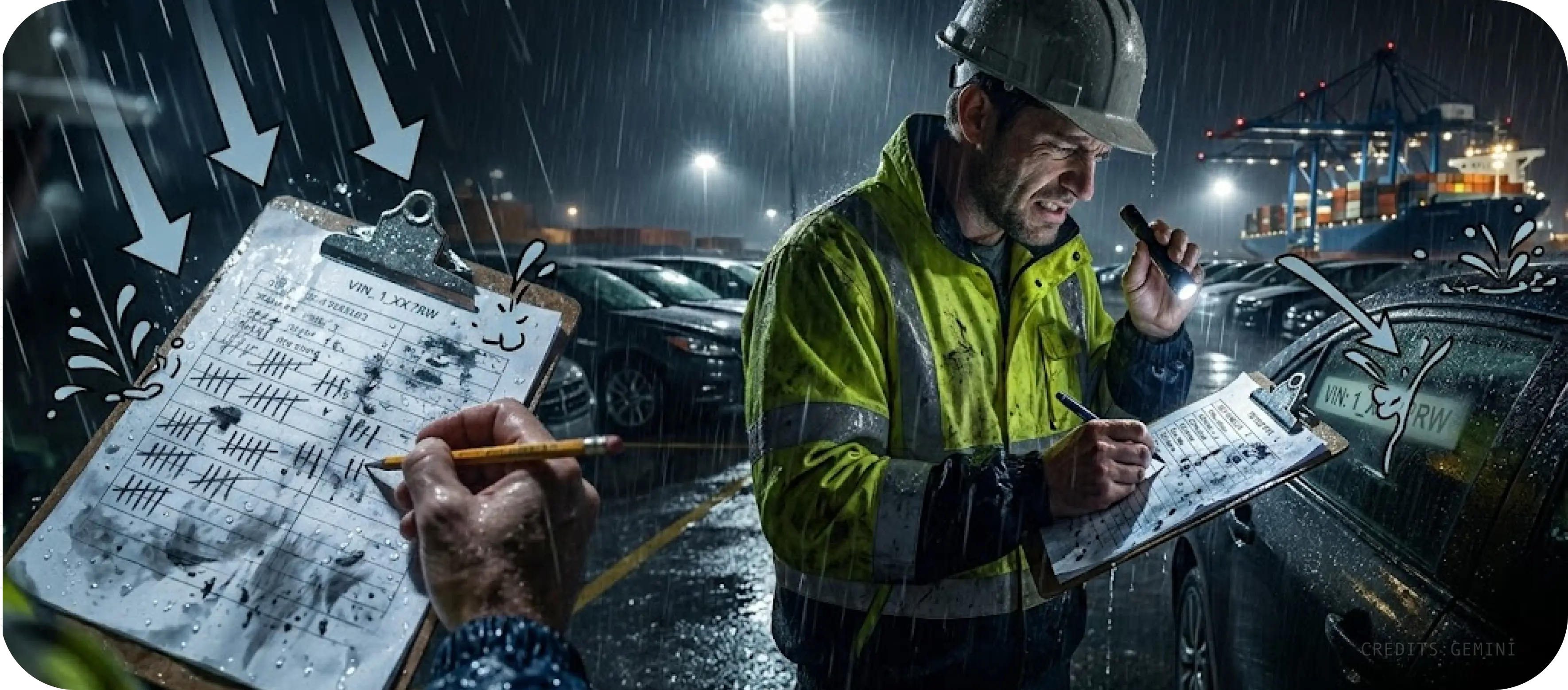
WWL problem

My Approach

I was brought into this project operating strictly as an external design consultant. An intermediary service company was tasked with managing the massive backend server architecture, API pathways, and heavy inventory logic. My single, hyper-focused mandate was to step into the shoes of the field workers and design a handheld mobile workflow that would effortlessly survive the harsh elements on the dock.

To understand the core users and map their physical muscle memory, I conducted an immersive field study directly on a massive, high-velocity commercial loading dock. I watched crews manage, coordinate, and orchestrate the tight staging of a rolling yard holding over 1,000 export vehicles at any given moment.

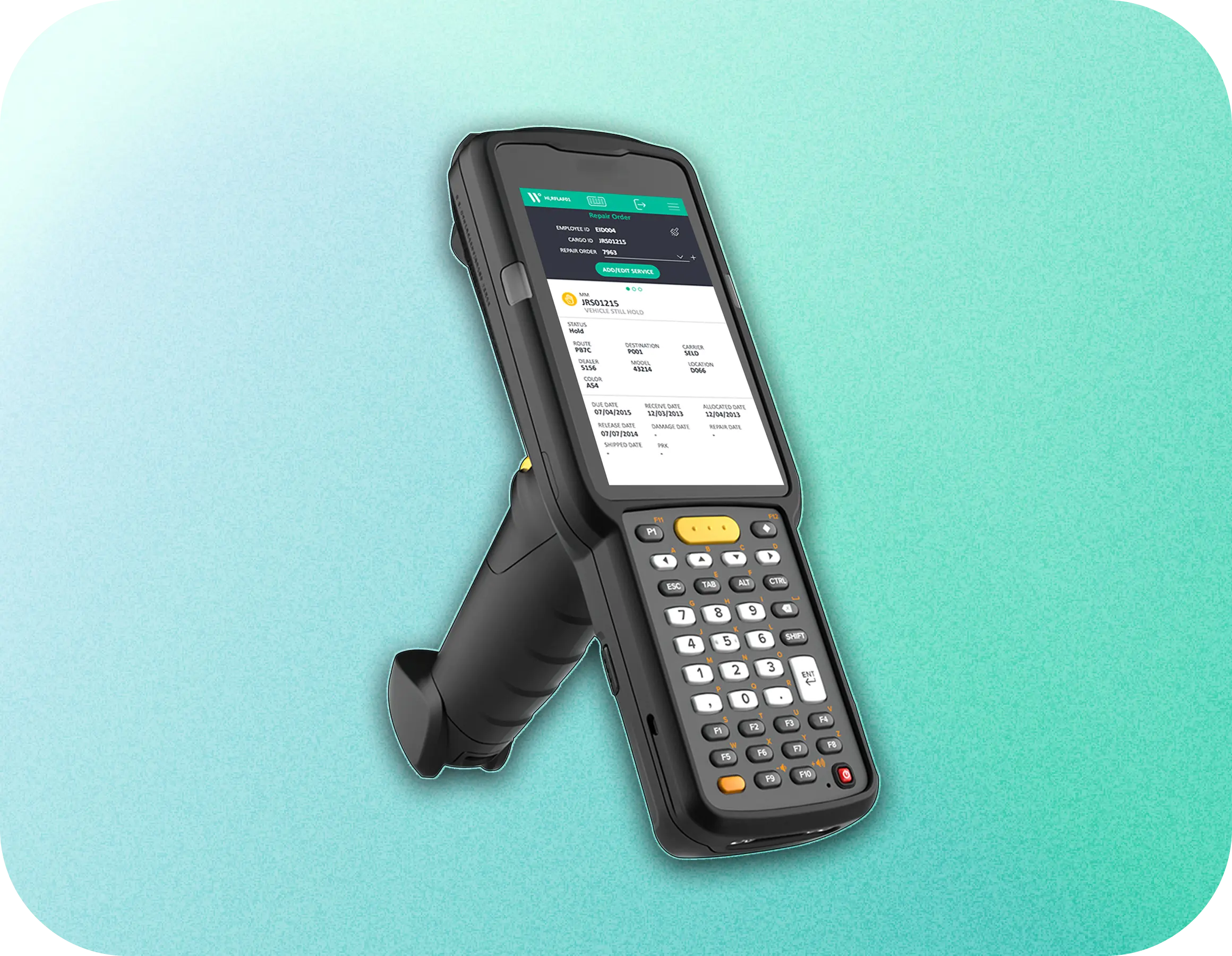
wwl handheld device
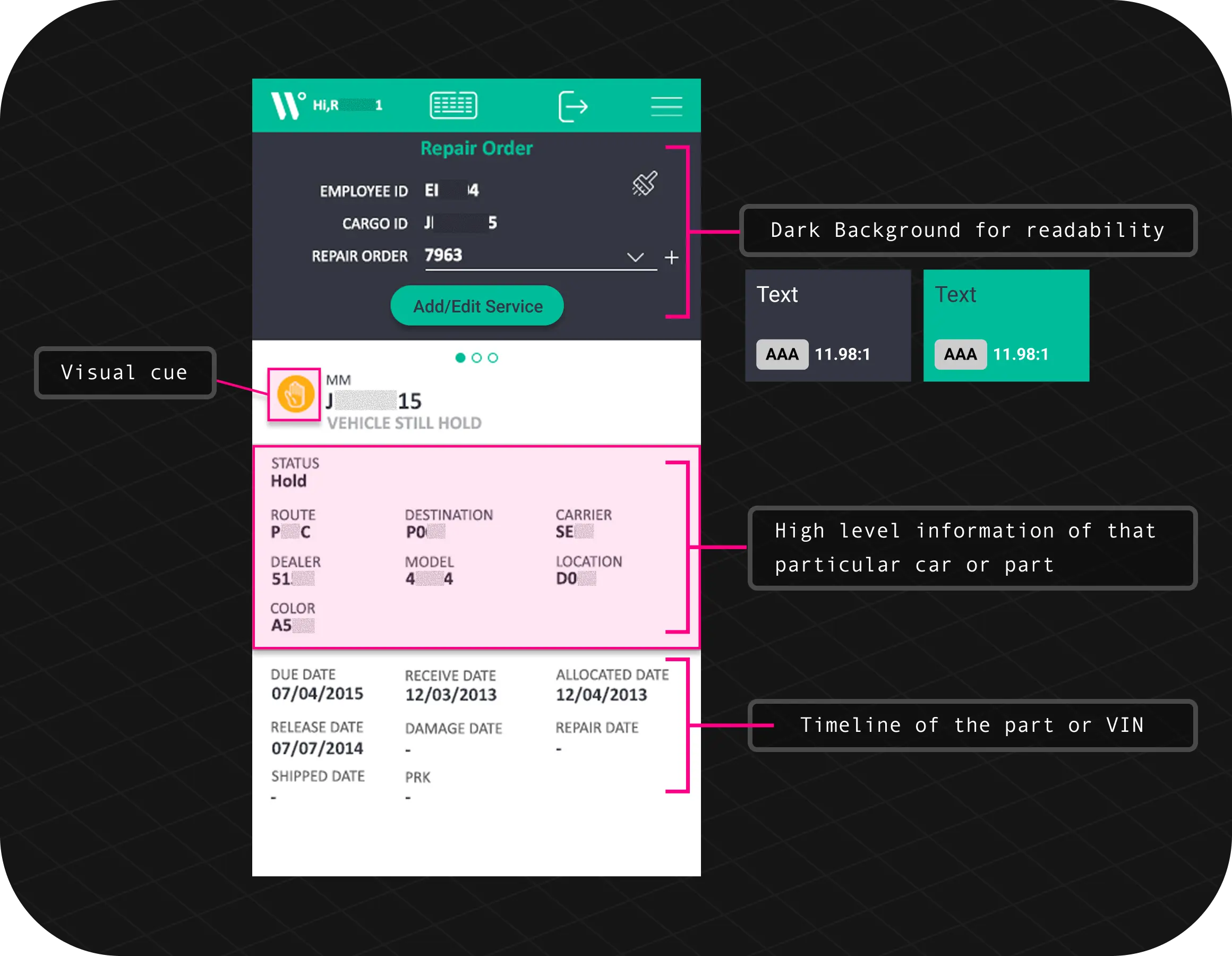
wwl app screen

Thought Process

To replace the raw speed of pen-and-paper, the software had to match the tactile simplicity of checking a physical box. Here is how the interface shifts from a standard form to an environmental utility:

  • check Shifting the Design: Point-and-Scan vs. Typing Forms
    • The Old Way (Manual): Workers had to pause what they were doing, wipe rain off a windshield, squint at a tiny vehicle tag with a flashlight, and write down a long string of letters and numbers by hand.
    • My Design Choice: I made the app boot up directly into a fullscreen camera view with a sharp, auto-focusing capture box. Instead of making users tap through menus, the phone acts like a supermarket scanner—you just point it at the barcode and go.
  • check Massive Touch Targets for Industrial Work Gloves
    • The Problem: Standard mobile apps use small buttons (around 44px) meant for bare fingertips. On a cold, rainy dock, port workers are wearing thick, heavy-duty safety gloves that make precise tapping completely impossible.
    • My Design Choice: I over-engineered the buttons, blowing them up to massive, isolated action blocks ($56px+$). I mapped all of these high-priority touch zones strictly within the natural reach of a worker's thumb so the app could be used safely with one hand.
  • check Sound and Vibration vs. Blinding Sun Glare
    • The Problem: Direct, midday ocean sunlight and intense port floodlights completely wash out mobile displays. If a worker has to constantly stop and shield the screen with their hand just to see a green "Success" message, the app fails.
    • My Design Choice: I moved the confirmation loop completely off the glass display. The exact moment a vehicle is scanned successfully, the device triggers an unmistakable, heavy vibration pulse accompanied by a sharp audio beep. Operators get instant physical confirmation through their ears and hands without ever having to look down at the screen.
Before & AFter WWL

Managerial Dashboard

To unlock the true value of the digital transformation, the data captured at the port terminal had to seamlessly flow...

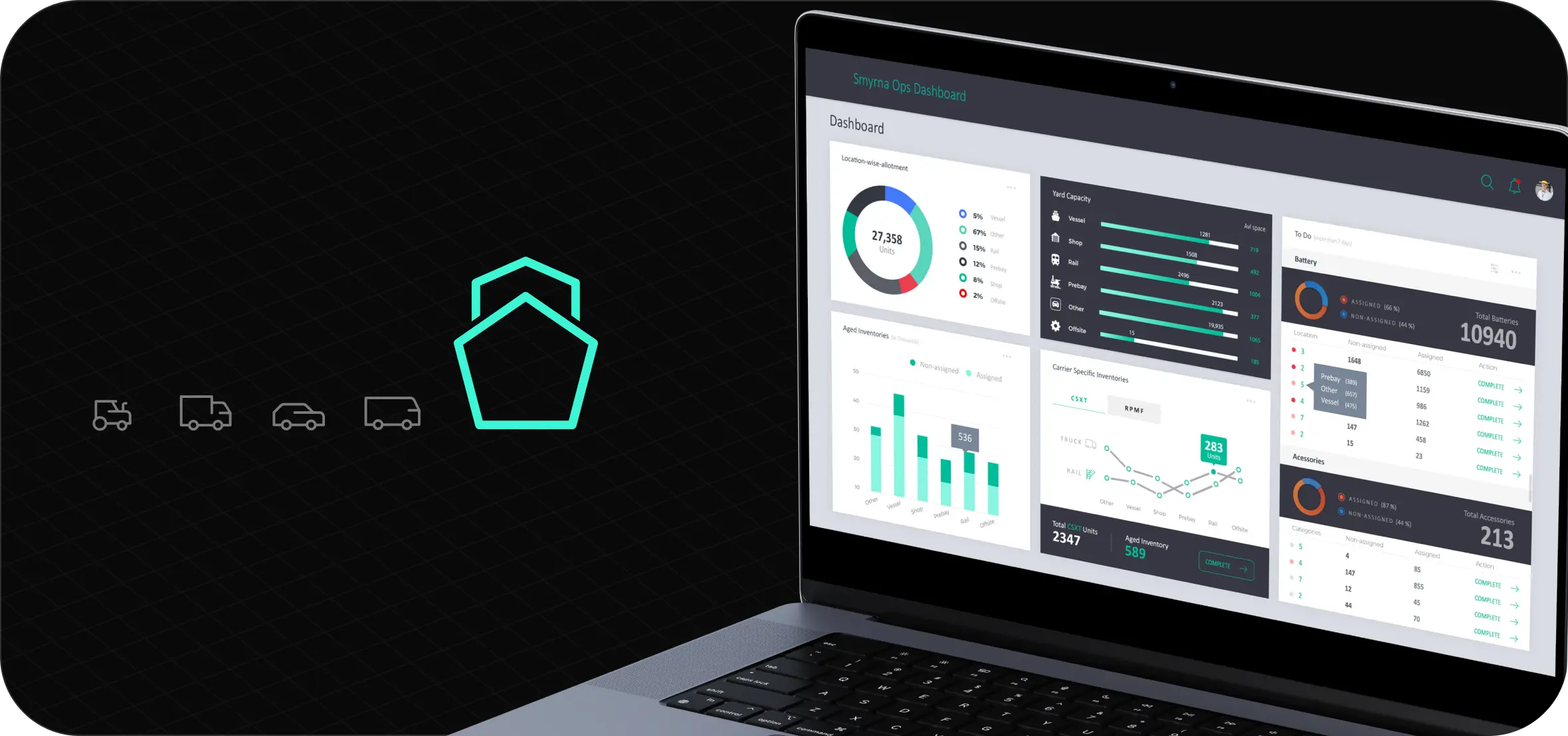
A. The Operations Dashboard (Real-Time Terminal Visibility)
While operators required rapid, one-handed field utilities, terminal managers needed macro visibility to prevent supply chain bottlenecks. The Core Decision: I synthesized live incoming scan data from the docks into a dense, scannable data-viz layout. The UI prioritizes vessel load/discharge velocities, equipment utilization rates, and automated alerts that flag logistical delays before they incur operational penalties.

B. The Future Employment Performance Dashboard (Predictive Work Force Planning)
For operational executives tasked with long-term labor forecasting and fleet scheduling, real-time data wasn't enough—they needed predictive insights. The Core Decision: I architected a multi-tiered information hierarchy allowing leadership to seamlessly pivot between regional labor performance benchmarks and granular shift-level efficiency metrics. This predictive interface empowered managers to identify processing bottlenecks and strategically allocate future workforce teams based on historical volume spikes.